December 15, 2004 Edition Nr: 004
|
Seasons Greetings from 123PPT.com.
And since this is the season of good will to all, we have an extra special offer for all our readers of the 123PPT.com Newsletter in this our Christmas edition.
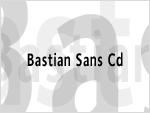
For the first and only time, we are offering all our readers our exclusive Bastian Sans Cd Font for only $19.95.
We've been asked time and time again which fonts our designers and artists recommend and use when designing our PowerPoint Templates. Bastian Sans Cd is one of our exclusively designed fonts, used to create our PowerPoint Template product range. And now, as a special thank you for your support and help in making 123PPT.com the leading online resource for presenters and PowerPointers everywhere, we are offering all our readers the chance to download and own this font, designed exclusively by Scott Harvey for 123PPT.com.
What's more, the 123PPT.com Newsletter brings you Exclusive Articles and Advice, from leading presenters, and presentation creators. Step-by-step PowerPoint tutorials and lessons from leading Interactive designers and media creators. As well as the opportunity to Ask the Experts about any area of your presentation.
This exclusive service, is one we provide for you, and only for you, our Newsletter subscribers. So whether your curious on how to improve your public speaking performances, wonder about how to create certain effects for your presentation content, or want to know how to increase the involvement of your audience. In Ask the Experts, you'll have the opportunity to get the answers to the questions that matter to you.

In this edition only, our exclusive reader discounts offer you amazing savings on
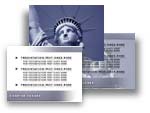
Statue of Liberty PowerPoint Template, and the Scott Harvey designed, Bastian Sans Cd Font, as well as the Cheque Book & Pen Photo, from our Photo Gallery.
|
|
|
|
|
|
Offer valid from 15/12/2004 - 31/12/2004 for all subscribers of the 123PPT.com Newsletter.
|


|
 |
Making Presentations in December?...Ba Humbug!
By Roger Downes, Presentation Consultant, 123PPT.com
December is always a strange time of year. Most companies try to motivate their employees for that "final push", that final last gasp effort to raise the fourth quarter and overall annual profit margins. They dangle the bonus carrots in front of them in an effort to gain that extra momentum. Throw the Christmas parties and tell their employees how happy they are with what they've achieved, but what they might even be able to achieve if they improve this and that the following year.
It's a strange time, because as an employee you feel you've reached a point where you deserve that winter break. You deserve some time off, you know whatever you do now won't effect your bonus a great deal, and your only motivation are the passing minutes that pull you ever closer to your last working day of 2010.
Whilst across the table, it's a strange time if you are an employer. At some point following the end of December, and most definitely in the weeks that follow there after, an accountant is going to present you with figures that will either make you shine like a angel in front of your board, or prep you like a turkey about to get stuffed.
So what role can presentations play to help you avoid a roasting when the confetti is swept away come January? And how can you show your employer that your efforts in December will pay dividends in January?
|

|
 |
With Microsoft Producer 2003, a free add-on tool for users of Microsoft PowerPoint 2003 and 2002, it's never been easier for organizations, schools, and individuals, to produce, synchronize, and publish, audio, video, slides, and images for rich-media presentations.
These presentations can be viewed on demand in Microsoft Internet Explorer and provide a new dimension to engage audiences through e-learning, training, sales, marketing, and customer communications.
In his second of his three part tutorial, presentations and PowerPoint expert Scott Harvey, shows you "How to use video in Producer to add video effects, transitions, and synchronize audio" with this step-by-step guide.
If you missed Scott's first part of the tutorial, "How to capture, import, and organize your media elements for browser and online broadcasts", there's no need to fear. Part one can still be viewed for a limited period.
|

|
 |
In our last edition, Ronny Dean Asked the Experts, "What's the easiest and best way to play an .MPEG video file within a PowerPoint presentation?"
Read Mark Farrow's reply, as he answers Ronny's question and shows you how to import an MPEG video file into your presentation.
If you have a question you would like to Ask the Experts, please click here.
|
|
|
|
|

| Advertise |
| If you would like to learn more about how to advertise in a future edition of the Newsletter, please click here. |
|